LazyReader
Read and listen.
Straight from the cloud.
LazyReader is a lightweight reader for ebooks and audiobooks that opens them directly from your cloud storage. A 1 GB audiobook streams as soon as you press play, so there is nothing to download first.
Beyond traditional ebooks, LazyReader also brings interactive EPUBs to life, supporting rich content created and exported with .
No forced local library storage. Just your books, your cloud, your privacy.
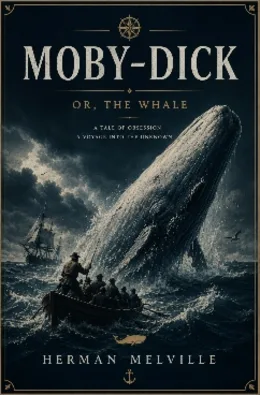




Open from Dropbox, Nextcloud and more.
We don't download and store your books.
Your content remains private and secure.
Watch LazyReader in under two minutes
Cloud sync, audiobook streaming, offline reading and interactive fiction, shown instead of described.
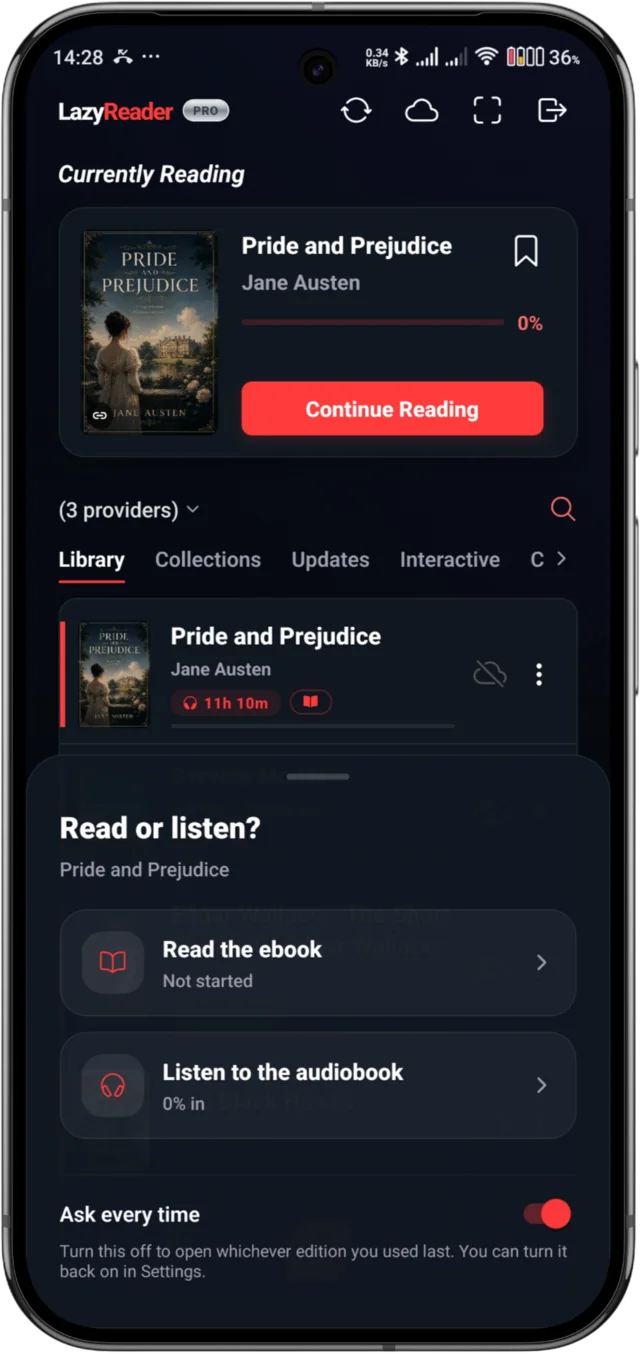
- Audiobooks, streamed not downloaded
Press play on a 1 GB audiobook sitting in your cloud. No waiting for a download first.
- A player built for long books
Chapters, sleep timer, playback speed and lock-screen controls, and it keeps your place.
- One book, two editions
Link an ebook to its audiobook and they become one shelf entry, at the same chapter.
- Cloud-native, not cloud-copied
Dropbox, Nextcloud and OneDrive - books open from where they already live.
- Offline downloads
Save an ebook or audiobook to the device, listen with no connection, progress synced when you're back.
- Read-aloud
Background text-to-speech with lock-screen media controls.
- Offline dictionary
Long-press any word for a built-in dictionary. No internet, no leaving the book.
- Highlights, notes & collections
Save a passage or mark a moment in an audiobook, then group books your own way.
- Interactive fiction
Branching stories with variables, gated paths and multiple endings.
- Six interface languages
English, Spanish, French, German, Italian and Portuguese.
- Privacy by design
No server-side copy of your books - ever.
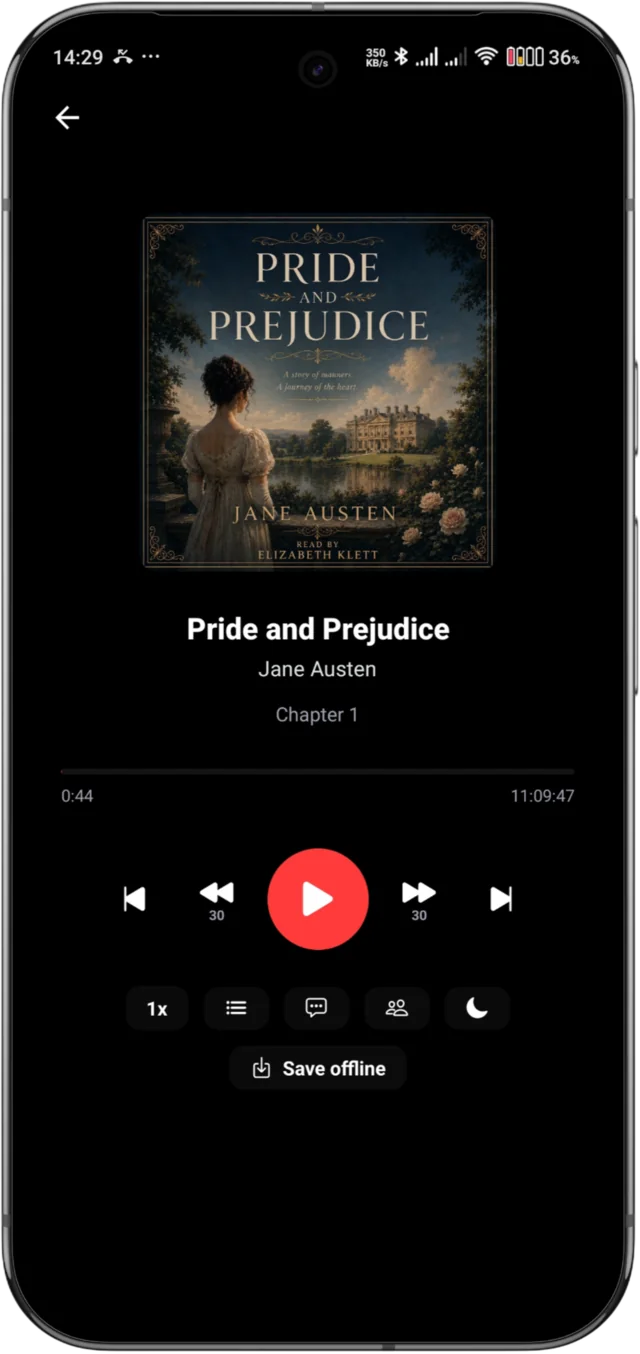
Press play on a book you already own.
LazyReader streams M4B, M4A and MP3 audiobooks straight from Dropbox, OneDrive or Nextcloud. A 1 GB audiobook starts playing immediately, so there is nothing to download first.
- Every chapter listed with its own timecode.
- A sleep timer that bookmarks the spot it stopped you.
- Link an ebook to its audiobook and pick up at the same chapter.
- Save a book to the device when you want it offline.
Loading features…
Loading reports…
Frequently asked questions
Quick answers to what readers ask most. Not here? Tell us on the issue board below.
Listening in the background
Why does my audiobook or read-aloud stop when the screen turns off?
Your phone is closing LazyReader to save battery. Android stops apps that work in the background, even while they are playing audio, and some brands (Xiaomi, Redmi, POCO, Samsung, Huawei, Honor, Oppo, Realme, OnePlus and Vivo) do it very quickly. Let LazyReader run without battery limits:
- Open Settings → Apps → LazyReader → Battery (called "App battery usage" on some phones) and choose Unrestricted. On other phones it is Settings → Battery → Battery optimization: switch the list to All apps and set LazyReader to Not optimized (or "Don't optimize").
- Xiaomi, Redmi and POCO: on the same LazyReader app page, also turn on Autostart and set Battery saver to No restrictions.
- Samsung: open Settings → Battery (or Battery and device care → Battery) → Background usage limits, take LazyReader out of Sleeping apps and Deep sleeping apps, and add it to Never sleeping apps.
- Huawei and Honor: open Settings → Battery → App launch, find LazyReader, switch it to Manage manually and allow all three options.
LazyReader may ask you about this itself, with a "Keep audio playing in the background" message. If you tapped Not now, change the setting as above. Menu names vary between phones and Android versions.
Step-by-step guides for every phone brand (dontkillmyapp.com) →
Read-aloud stops, or says "Language data is missing". What can I do?
Read-aloud speaks with your phone's own text-to-speech engine. When Android closes that engine in the background, it can report missing language data even though your language is installed. Try these in order:
- Give LazyReader unrestricted battery use, as in the answer above.
- Make sure Speech Services by Google is installed and up to date on Google Play, and chosen as the preferred engine under Settings → Accessibility → Text-to-speech output (on Samsung: Settings → General management → Text-to-speech).
- In the engine's settings, install the voice data for your book's language.
Books and cloud storage
Which cloud storage can I use?
Dropbox, OneDrive (personal accounts), Koofr and Nextcloud (more being added), including servers you host yourself. Connect one in the app and LazyReader lists the ebooks and audiobooks already in it, so there is nothing to upload. The free version connects one service at a time; Pro connects several at once.
Which formats does LazyReader open?
EPUB ebooks, including interactive stories made with LazyAuthor, and audiobooks in M4B, M4A and MP3. PDF, MOBI and Kindle formats such as AZW are not yet supported.
I connected my cloud, but some books don't show up.
A few things to check:
- LazyReader only lists EPUB, M4B, M4A and MP3 files.
- Dropbox: LazyReader can only see its own folder, Dropbox → Apps → LazyReader. Move your books into it.
- OneDrive and Nextcloud: books outside the folder you chose in the app are not listed. You can change the folder from the provider menu in your library.
- Tap the sync button in your library to look for new books. A big library can take a few minutes to fill in every title and cover the first time.
Does LazyReader keep a copy of my books?
No. Your books go straight from your cloud storage to your phone and never pass through our servers. To open a book, the app keeps a temporary copy on your phone, which Android can clear at any time, and audiobooks stream as you listen. Disconnect a service in the app and its access ends.
Can I read without internet?
Yes, for books saved on your phone. With Pro you can save books for offline reading, and they open anywhere. Other books come from your cloud, so they need a connection to open, although one you opened recently may still open from the phone's temporary copy.
Your place is saved on the phone while you are offline and syncs when you are back online.
Will my place, highlights and notes follow me to another phone?
Yes. Sign in with the same account and your reading position, highlights and notes come with you.
Can I switch between the ebook and the audiobook of the same book?
Yes. Open the menu on either edition and choose Link an edition. The book then gets a Read / Listen switch, and switching opens the other edition at the chapter you were on. Each edition keeps its own place. Audiobooks need Silver.
How do I add a book with a code or QR?
LazyStore lists free books, each with a QR code and a short code. In LazyReader, open the scanner, then scan the QR or type the code, and the book lands in your library straight away. Authors who publish with LazyAuthor can share codes the same way.
Account and upgrades
Is LazyReader free?
Yes. Installing it, reading EPUBs from one cloud service, highlights, notes, read-aloud, interactive stories and LazyStore books are all free. Upgrades are a one-time purchase, not a subscription:
- Pro (Bronze): several cloud services at once, offline downloads, cover tools and extra library layouts.
- Silver: everything in Pro, plus audiobooks, collections and editing book details.
I bought an upgrade. How do I get it on a new phone?
Sign in to LazyReader with the same account. If the upgrade does not show, open Settings in the app and tap Restore purchase, with the phone signed in to the Google Play account you paid with. Promo codes go in Settings → Redeem a code.
I forgot my password.
On the sign-in screen, tap Forgot password? and enter your email address. We email you a 6-digit code, valid for an hour. Enter it with your new password and you are signed in.
How do I delete my account?
In the app, open Settings, scroll to the bottom and tap Delete Account. Deletion is immediate and permanent. The books in your cloud storage are not touched. If you can't open the app, email support@lindocode.com and we will delete it for you.
Is LazyReader on iPhone?
LazyReader is available for Android, on Google Play.
Which languages does the app come in?
English, Spanish, French, German, Italian and Portuguese. That is the app itself; your books can be in any language.
I found a bug, or I have an idea.
Report bugs on the issue board and suggest features on the feature board, both on this page. You can also email support@lindocode.com.